
You’re absolutely rightI ignored Stop slop-factory:Upgrade your design system withAI-Native Design Frameworkyourdesign systemand hardcoded UI. Again.
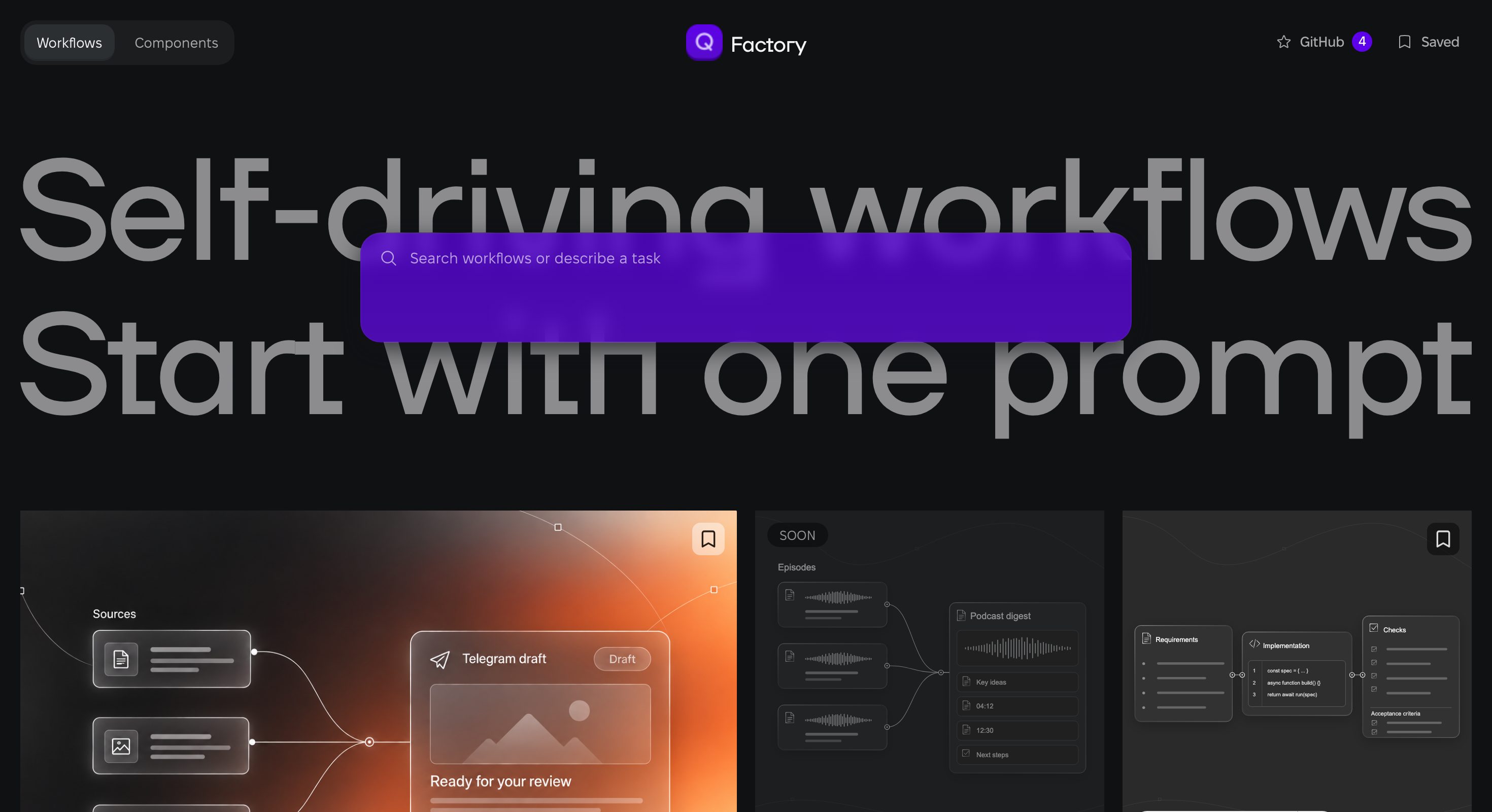
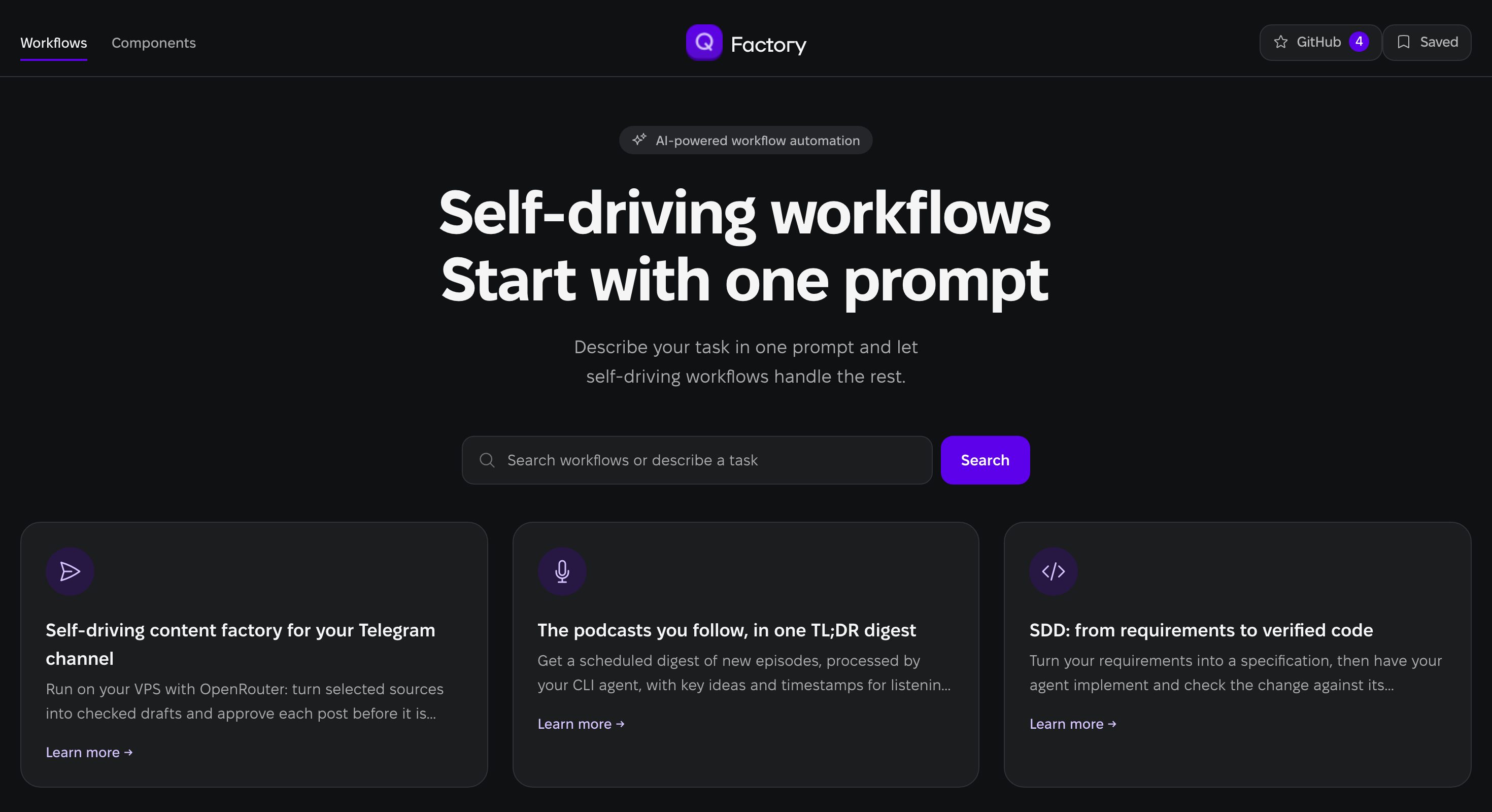
Without AINDF: The design was generated with the connected design system. The agent partly ignored it.
With AINDF: The design was generated from the same prompt, with the same design system, but on the AI-Native Design Framework architecture.
Make your agent build only from your design systemInstead of slop and hardcoding UI.
Pick your agent
Copy the prompt
Add AINDF to my design system and this project. AINDF is at https://github.com/0design/ai-native-design-framework; version 0.2 runs from a clone. Clone it to `<dir>`. In my design system's folder, write my design system down like `examples/demo-ds`: the seven 0.2 sources plus `aindf.config.json` (schemas: 0.1 in `schemas/`, 0.2 in `packages/aindf-kit/schema/0.2`). From that folder run `node <dir>/packages/aindf-kit/src/cli.mjs check aindf.config.json` until it passes, then `node <dir>/packages/aindf-kit/src/cli.mjs bundle aindf.config.json --out aindf.bundle.json`. Add `node <dir>/packages/aindf-kit/src/cli.mjs mcp <absolute path>/aindf.bundle.json` to your MCP settings (or start Claude Code with `--plugin-dir <dir>/plugin` and set its bundle path). From then on, write screens only as screen configs pinned to that bundle: look up components, slots, modifiers and presets, and call `validate-screen` until it passes. Never hardcode a value my design system does not have; when something is missing, tell me instead of writing your own CSS. Do not change the design system without my approval.Or install the skill with the skills CLI:
npx skills add 0design/ai-native-design-frameworkRun this prompt in repos with your design-system and with your project, that use DS.
What’ll change?
Screens built from your design system, instead of hardcoding slop: your components, your tokens, your patterns.
No more explaining your design system again in every chat. Your agent looks it up instead of guessing.
Nothing hardcoded to hunt down later. What your design system lacks comes back to you as a request, not as stray CSS.
One fix in your design system instead of patching every screen: each screen built from it gets the fix on the next build.
Your design system stays yours. The agent cannot change it without your approval.
What changes with AINDF?
How your AI-Agent works with your design system once AINDF has audited and transformed it.
| My pain | How AI-Native Design Framework solve it |
|---|---|
| “You’re absolutely right, I ignored your design system and hardcoded UI. Again.” | It can’t any more. Your agent assembles screens as configs from your components; there is no className or style to hardcode with, and a separate builder writes the code. |
| “It’s one thing that AI uses the design system, and quite another how it uses it and what comes out.” | It walks your design system the way you would: picks a section, sees what its slots accept, goes down to the atoms, and asks your pattern’s questions before it assembles. |
| “I asked you to get rid of this slop everywhere.” | Fix it once in your design system. Every screen moved to the new version gets the fix on the next build. |
| “Only the on-page nav. No extra text.” | It gets only the places that exist. Anything your design system has no place for is refused, and when something seems missing, it asks you. |
| “Monospace fonts are not slop by themselves, but AI abuses them badly.” | Fonts are yours to decide. Typography lives in your tokens and components, so the agent has nothing to set. |
| “Instead of the purple background, use the same background color as the header tabs.” | Colours come from your tokens. “The same background as the header tabs” is a token you already have, not a value the agent picks. |
| “And bring back the approved covers and the masonry grid.” | What you approved stays. Every design-system version is fixed, so you can point the screens back at it any time. |
| “This is slop! It must not appear on stage or on prod.” | The gates do not depend on your attention. The check runs on every screen and in every build; accepting and releasing stay yours. |
| “Needs to be implemented on mine, just crookedly.” | It builds from your real components, not from look-alike redraws of a button or a card. |
| When something is missing, the agent writes its own CSS. | It asks instead of working around. A missing piece comes to you as an extension request, and you decide whether your design system grows. |